
Discover the best city to set up office in India...

Common IT Support Problems in SMEs And How to Fix Them
Common IT support issues encountered by small and midsized enterprises (SMEs) include slow or unreliable networks, frequent hardware failures, outdated software versions, cybersecurity gaps and inadequate data backup solutions. Most issues can be avoided through proper IT management and proactive maintenance, but when left unaddressed they can greatly diminish productivity, leading to data loss or downtime costs for businesses. According to research by Gartner, small and midsized businesses lose an average of $5,600 per minute during unplanned IT downtime, according to SME surveys conducted in 2012. For businesses without dedicated IT support staff, even an hour of disruption can cost lost orders, frustrated clients and significant recovery costs – not forgetting significant recovery costs associated with missed orders! Its common IT support issues among SMEs are well documented – yet knowing which issues they face and how best to tackle them remains challenging for business.
This guide examines the most frequently occurring IT support issues in small businesses, their causes, and provides concrete steps for resolving or preventing each one. Whether you manage IT in-house yourself or employ an internal junior IT person for support services evaluation purposes this article offers you an insightful view of where real problems lie.
What Are the Most Common IT Support Problems in SMEs?
IT support problems for SMEs typically consist of technical issues, such as network failures, hardware breakdowns, software vulnerabilities, or security gaps that disrupt their business operations. Unlike larger enterprises with dedicated IT departments that can address such challenges with ease, most SMEs often face these obstacles with limited resources at their disposal, amplifying any impactful incidents disproportionately further.
SME IT support issues typically fall into six main categories: network and connectivity issues, cybersecurity vulnerabilities, hardware failures, outdated software applications, poor backup practices and remote or endpoint support gaps. Each has distinct causes and solutions.
Common IT support problems in SMEs
The most common IT support problems in SMEs are:
(1) network instability and slow internet connectivity,
(2) cybersecurity vulnerabilities including phishing and unpatched software,
(3) hardware failure from ageing equipment,
(4) outdated software and missing updates,
(5) inadequate data backups with no disaster recovery plan, and
(6) poor endpoint management for remote and hybrid workers. Most of these are preventable with proactive monitoring and a managed IT support partner.
IT Problem Category | Typical Trigger | Business Impact | Fix Complexity |
Network instability | ISP issues, router misconfiguration, bandwidth contention | Lost calls, slow file access, failed syncs | Low–Medium |
Cybersecurity gaps | Unpatched systems, no MFA, weak password policies | Data breach, ransomware, compliance failure | Medium–High |
Hardware failure | Ageing drives, overheating, component wear | Data loss, forced downtime, replacement cost | Low (with monitoring) |
Outdated software | No patch schedule, legacy systems, licence lapses | Security vulnerabilities, compatibility issues | Low–Medium |
Poor data backups | Manual/ad-hoc process, no offsite copy, untested restores | Permanent data loss, long recovery time | Medium |
Remote/endpoint gaps | BYOD, no MDM, split VPN configurations | Security exposure, helpdesk overload | Medium–High |
Network Instability and Connectivity Problems
IT support complaints in SME offices often center around network connectivity issues that disrupt work flows.
Low broadband speeds or complete connectivity outages impact all employees simultaneously making them the most visible and operationally consequential type of IT problem.
Why This Keeps Happening
Many SMEs inherit network setups designed for less users or different workloads. A router that handled five employees well three years ago now struggles to support fifteen people simultaneously using video calls, cloud applications and VoIP simultaneously. Common causes include:
As soon as a pandemic ended, cloud-heavy workflows increased dramatically in demand for bandwidth, but without enough available. Due to improper QoS (Quality of Service) settings giving VoIP and video traffic no priority; overloaded DNS servers that cause slow page loads which appear as “internet issues; and aged switches/routers with outdated firmware.
How to Address It
Conduct a comprehensive network audit before investing in faster broadband connections. In many instances, reconfiguring existing hardware or replacing an aging switch may resolve up to 80% of reported issues. Next:
Enable QoS on your router to prioritize business-critical traffic, and switch from consumer hardware (Cisco Meraki or Ubiquiti UniFi) if possible to professional grade routers like Cisco Meraki or Ubiquiti UniFi for business use if your current hardware cannot support such changes. Consider also investing in 4G/5G failover connections at PS20-50/month as these can lessen outage impact significantly.
Conduct monthly firmware updates on all network equipment to avoid bandwidth contention, while isolating guest Wi-Fi from the business network for optimal results.
For businesses using VoIP systems, iValuePlus recommends installing network monitoring tools that alert before degradation becomes an outage. By being proactive about monitoring systems and incidents, average incident response times can be reduced from hours to minutes.
Are SMEs at Real Risk From Cybersecurity Threats?
Yes and the data speaks for itself. According to Verizon Data Breach Investigations Report 2023, 46% of cyberattacks targeted businesses with less than 1,000 employees; small and midsized enterprises (SMEs) weren’t too small for attacks as they lack the security infrastructure of larger organisations.
The Most Dangerous Cybersecurity IT Support Issues in Small Businesses
Threat | How It Enters Your Business | Prevention Measure |
Phishing email | Employee clicks malicious link or attachment | Security awareness training + email filtering |
Ransomware | Unpatched systems, remote desktop exposure | Patch management + RDP restrictions + backups |
Password compromise | Reused passwords, no MFA, weak policies | MFA enforcement + password manager rollout |
Business Email Compromise | Spoofed supplier/director email | DMARC/SPF/DKIM + payment verification policy |
Unencrypted devices | Lost/stolen laptops without BitLocker | Full-disk encryption on all endpoints |
Practical Steps to Reduce Cybersecurity Risk in SMEs
- Enforce multi-factor authentication (MFA) on all accounts Microsoft 365, email, banking, VPN. A single MFA rollout blocks approximately 99.9% of automated account compromise attempts (Microsoft Security, 2023).
- Run quarterly phishing simulations to identify which staff need further training not as a punitive measure, but as an ongoing measurement of risk.
- Deploy endpoint detection and response (EDR) rather than basic antivirus alone. EDR tools detect behavioural anomalies they catch threats that signature-based AV misses.
- Review user access permissions annually. Many SMEs have staff with admin rights they no longer need.
- Enable DMARC on your domain to prevent email spoofing of your own company name.
Outdated Software and Poor Patch Management
Unpatched software is the single most exploited entry point for cyberattacks on SMEs. The National Cyber Security Centre (NCSC) consistently identifies failure to apply security patches as a primary cause of preventable breaches in small businesses.
Patch management is not glamorous which is why it’s chronically neglected. But a missed patch on a single machine is sufficient for ransomware to spread across an entire network if the exploit is worm-capable.
Why SMEs Fall Behind on Patching
- No centralised visibility into which devices are patched and which aren’t
- Updates are deferred because they require reboots during business hours
- Legacy software that can’t be updated without breaking compatibility with other systems
- Staff dismissing Windows Update prompts repeatedly
Building a Simple Patch Management Process
At an SME scale, patch management doesn’t require complex enterprise software solutions; an effective procedure covering 90% of exposure can look something like this:
Use Group Policy or Microsoft Intune to automate Windows updates and deploy them every Sunday night; use a free RMM tool such as NinjaRMM or Atera to gain visibility across all devices; patch third-party applications like Chrome, Adobe, or Zoom on an ongoing basis, as they have become the primary attack vectors.
Test critical patches on one non-production machine before rollout when breaking changes are possible, and keep a record of all software in use, with version numbers and support status information.
If your IT support provider offers patch management as part of a managed service agreement, be sure they’re patching third-party applications as well as OS updates.
Inadequate Data Backup and Disaster Recovery
Most SMEs believe they have a backup. Most are wrong about what that backup actually protects
Having a backup is not the same as having a recoverable backup and the difference only becomes apparent after data loss.
The 3-2-1 Backup Rule — The Industry Standard for SMEs
The 3-2-1 backup rule means keeping three copies of your data: two stored on different local media types (e.g. a server and an external drive), and one copy stored offsite or in the cloud. This ensures that even a fire, hardware failure, or ransomware attack cannot destroy all copies simultaneously. For SMEs, an automated cloud backup to Microsoft Azure or AWS Backup is the recommended offsite option.
Common Backup Failures We See in SME IT Support Tickets
- Backups are never tested. A backup that hasn’t been restored is a promise, not a guarantee. Test restoration quarterly.
- Only one copy exists typically a single external drive that may live next to the machine it’s backing up.
- Cloud sync ≠ backup. OneDrive and SharePoint sync deletions and ransomware encryption just as efficiently as legitimate file changes.
- Backup jobs silently fail. Without monitoring, a backup job that errored six weeks ago is indistinguishable from one that completed.
- Recovery time is untested. Even if data exists, restoring 500GB from cloud storage over a slow line can take 48+ hours.
Remote Work and Endpoint Support Gaps
Hybrid and remote working permanently expanded the IT attack surface for most SMEs and many businesses haven’t updated their IT support model to reflect this shift.
The challenges compound each other: home broadband connections aren’t managed, personal devices access business systems, and IT support that worked fine when everyone was in the office becomes slow or impossible when staff are dispersed.
High-Impact Remote IT Issues in Small Businesses
- Staff using personal laptops without business-grade antivirus or disk encryption
- VPN connections that are slow, unstable, or not configured for split tunnelling
- No mobile device management (MDM) policy for company phones or tablets
- IT support that requires physical access impossible when a staff member is 60 miles away
- Shadow IT: staff adopting tools like WhatsApp, personal Dropbox accounts, or unapproved apps to work around friction
Remote monitoring and management (RMM) software resolves the access problem by enabling your IT team to diagnose and fix most issues on remote devices without requiring physical access or lengthy phone support. Combined with a cloud-first application stack, this reduces the average helpdesk resolution time significantly for distributed teams.

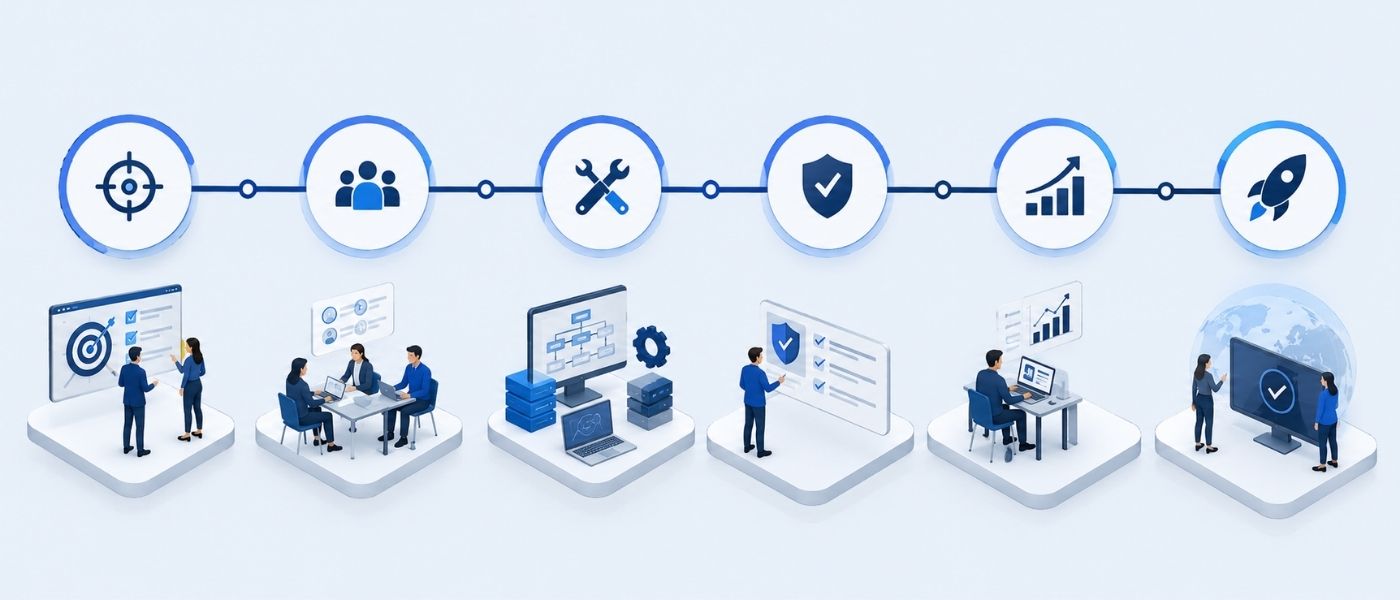
How to Fix Recurring IT Problems in SMEs: A Step-by-Step Approach
Fixing individual IT incidents is straightforward, while preventing them from reoccurring requires a structured approach. Here’s the process iValuePlus employs when onboarding new SME clients:
- Conduct an IT infrastructure audit
Document every device, application, user account and network component that may require management. A typical audit will take 2-4 hours for an SME with 20-50 staff, providing the basis for future endeavors.
- Identification and Ranking of Vulnerabilities Based on Business Impact
Not all issues carry equal risk: A missing security patch on a finance machine should take precedence over slow printing speeds. Prioritize issues according to their potential impact on revenue, data or compliance rather than by how annoying they may be in day-to-day usage.
- Implement proactive monitoring measures.
Use an RMM tool on all devices to monitor performance, patch status and health metrics across devices. Set alerts for disk health issues, backup failures, failed login attempts or high CPU utilization to turn reactive IT into proactive IT. Monitoring can make an SME’s IT work harder for them – this change could be the single most impactful transformation ever.
- Create a Patch Management Schedule
Automate OS updates. Implement a monthly third-party application patch cycle. Document any systems which cannot be patched and implement compensating controls (network isolation or additional monitoring).
- Implement the 3-2-1 backup rule and put it through its paces.
Configure automated cloud backups. Monitor their success or failure. Schedule and document quarterly restore tests – they typically last 30-90 minutes each and remove any doubt about whether your backup is usable.
- Implement MFAA across all business accounts
Start with email and VPN as these services pose the highest risks. Expand to cloud applications, banking systems, and any SaaS tools with access to sensitive data. Where possible use Microsoft Authenticator or YubiKey rather than SMS-based MFA for authentication.
- Document and communicate IT policies to all staff.
An IT Acceptable Use Policy doesn’t need to be 30 pages long; even a one-page document covering password requirements, acceptable devices and what should be done when something breaks is enough to eliminate ambiguity and reduce “I didn’t know” incidents significantly.
Want an expert to run this audit for your business?
Book a free 30-minute IT assessment call with our team. We’ll identify your top 3 IT risks and outline a fix plan, no obligation, no sales pressure.
Why SMEs Are Choosing Managed IT Support Over In-House Teams
Hiring a full-time IT professional costs £35,000–£55,000 per year in the UK before NI, pension, holiday cover, and training. For a business with 10–50 staff, that investment rarely delivers the breadth of expertise needed. A managed IT support provider gives SMEs access to a team with specialists across networking, cybersecurity, cloud, and helpdesk at a fraction of the cost.
Our Experience
In our experience supporting SMEs, the businesses that struggle most are not those with the worst IT equipment they’re the ones with the least visibility. They don’t know which machines are unpatched, which backups are failing, or how often staff are encountering issues they’ve quietly been working around for months. The first 30 days of any managed IT engagement is almost always a process of surfacing problems that already exist, not creating new ones. Once you have that visibility, fixing things is the straightforward part.
Managed IT support for SMEs
Managed IT support for SMEs means outsourcing day-to-day IT operations, including monitoring, helpdesk, patch management, backup oversight, and cybersecurity, to a specialist provider on a monthly contract. It differs from break-fix support in that issues are prevented or caught proactively, rather than responded to after they cause downtime. For businesses with 5–100 staff, managed IT support typically costs £40–£120 per user per month in the UK.
Managed IT Support vs Break-Fix: Key Differences
Factor | Break-Fix IT Support | Managed IT Support |
Response model | You call when something breaks | Issues flagged before they cause downtime |
Cost structure | Unpredictable per-incident fees | Fixed monthly cost, budgetable |
Patching | Ad hoc or not at all | Automated, scheduled, monitored |
Backup monitoring | Usually none | Daily job monitoring with alerts |
Cybersecurity | Basic AV, if anything | EDR, MFA enforcement, threat monitoring |
Average resolution time | Hours to days | Minutes to 2 hours (SLA-backed) |
For SMEs evaluating their options, our IT support services outline what a managed service from iValuePlus covers and how onboarding works for businesses of different sizes.
FAQ
What are the most frequent IT challenges facing small businesses?
Small businesses commonly experience IT-related problems that include network connectivity issues, cybersecurity vulnerabilities (particularly phishing and ransomware), hardware failure from ageing equipment, outdated or unpatched software updates, inadequate backup solutions and lack of remote worker IT support. These issues account for most helpdesk tickets filed as well as unscheduled downtime events within SME environments.
How much does IT downtime cost SMEs?
IT downtime costs vary significantly by business type and size, with Gartner estimating an estimated average downtime cost per minute of around $5,600 across all businesses of various sizes. SME cost per minute estimates tend to be lower; even an outage that affects 15 staff for two hours at an average loaded hourly cost of PS30 could cost them an estimated PS900 in lost productivity before factoring in recovery or reputational costs; annual downtime costs often reach PS5,000-25.000 without proactive IT management in place.
How can SMEs reduce IT downtime without hiring full-time IT support personnel?
SME can significantly decrease their downtime by employing a remote monitoring and management (RMM) tool, automating patch management, creating a 3-2-1 backup policy, and mandating multi-factor authentication across key accounts – four measures which address the primary causes of downtime events. Businesses without internal IT capacity can utilize managed IT support providers who offer all these capabilities at a fixed monthly fee – typically less than that of an in-house junior IT person’s salary.
Are small businesses at risk from cyberattacks?
Yes. According to the Verizon Data Breach Investigations Report 2023, 46% of cyberattacks targeted businesses with less than 1,000 employees – frequently because these small companies offer valuable data (financial records, client information and intellectual property), yet have significantly less stringent security controls than enterprise organisations. Assuming small businesses don’t interest attackers is both wrong and dangerous.
What is the difference between break-fix and managed IT support for SMEs?
Break-fix IT support means calling in when something breaks and paying per incident; managed IT support providers monitor your systems proactively, patch updates and backups are managed automatically, issues are often resolved before you even know about them, all for a monthly fixed fee. Most small to midsize enterprises find managed IT to be the superior commercial model as it converts unpredictable IT costs into manageable monthly expenses and significantly decreases business-disrupting incidents.
How often should SMEs update their hardware?
Laptops and desktops should be renewed every 3-4 years; servers typically last 5-6 years with proper care; network equipment (routers, switches, access points) should be reviewed every five years. Age should not be the sole trigger for early replacement; health metrics such as drives showing SMART errors or devices repeatedly crashing may warrant earlier replacement – running hardware past its supported lifespan creates both reliability and security risks that must be managed carefully.
What is the 3-2-1 backup rule and should SMEs adhere to it?
The 3-2-1 rule defines data protection as maintaining three copies on two different media types with one copy stored offsite. For SMEs, the most suitable implementation would likely include using an offsite NAS device, secondary external drive and automated cloud backup such as Azure Backup or Veeam Cloud Connect to achieve this. Every SME should adhere to this policy because data loss from single-copy backup failure can be irreparable and recovery from ransomware without an offsite backup often requires either paying ransom money or starting over from scratch — outcomes which businesses rarely survive commercially.
Conclusion
The common IT support problems in SMEs network instability, cybersecurity vulnerabilities, hardware failures, patching gaps, poor backups, and remote endpoint issues are not unique to any single business. What is unique to each business is whether they choose to address them proactively or wait until they cause damage.
The SMEs that operate most reliably are not those with the most sophisticated IT infrastructure. They are the ones with good visibility, good processes, and a partner who catches problems before staff even notice them. Every fix described in this article is achievable the question is whether you have the time and expertise to implement them internally, or whether a managed IT support partner is the more practical route.
iValuePlus works with SMEs across the UK to design and deliver IT support that prevents the problems described here not just fixes them after the fact. If you’d like to understand where your current IT setup stands, start with a free assessment.
Recent Post
How to Set Up an Offshore QA Center of Excellence in India: A Practical Guide for Global Teams
Learn how to set up an offshore QA center of...
Managed IT Services for Small Businesses: Complete Guide (2026)
Discover what managed IT services for small businesses actually include,...

iValuePlus Services
iValuePlus is a one-stop solution to address all your needs to access, build and grow your business in the Indian market which is cost-effective & has a huge talent pool. Established in 2019 as a ‘Business Solution provider', our team has delivered successful growth projects in the international market.
Our services include setting up ODC (offshore development center), Staff Augmentation, Talent Acquisition, Digital Marketing, in the IT/ITES domain.