

Discover the best city to set up office in India...
Categories
Tags
- corporate office setup services
- end-to-end office infrastructure solutions
- managed office infrastructure services
- modern office setup services
- office infrastructure management services
- office infrastructure setup services
- office infrastructure upgrade services
- office IT infrastructure services
- office network and IT setup
- workplace infrastructure services

How to Upgrade Your Outdated Office with Expert Office Infrastructure Services
If your office is running on infrastructure installed more than five years ago, there is a strong chance it is costing you more than you realise. Slow networks, unreliable Wi-Fi, fragmented communication tools, and security gaps are not just operational inconveniences. They actively limit productivity, increase IT maintenance costs, and make it harder to attract and retain talent in a hybrid-first world. This guide walks you through exactly how to upgrade outdated office infrastructure, what that process involves, and how to choose the right expert partner to execute it.
What Are Office Infrastructure Services? Office infrastructure services refer to the full range of technical design, supply, installation, and management services required to build or upgrade the physical and digital foundation of a modern workplace. This covers structured cabling, network and Wi-Fi setup, server room design, access control, AV and unified communications, workstation deployment, cybersecurity configuration, and ongoing IT management. A comprehensive provider delivers all of these as a coordinated, end-to-end engagement rather than as separate, disconnected projects.
Whether you are managing a single office in Bengaluru or rolling out a new branch for an international GCC operation, the underlying challenges are consistent. Infrastructure that cannot keep pace with your business creates friction at every level. The sections below cover the signs of an outdated setup, what a modern upgrade actually includes, and the decision frameworks that experienced IT and operations leaders use to evaluate their options.
Signs Your Office Infrastructure Is Outdated and Holding You Back
Most offices do not fail suddenly. They degrade slowly, and the warning signs get absorbed into everyday frustration. By the time leadership decides to act, the cumulative cost of delay is already significant.
The Operational Signals That Are Easy to Miss
Frequent Wi-Fi drop-outs during video calls are often treated as a bandwidth issue when the real cause is access point coverage gaps or outdated switching equipment. Staff working around a problem is not the same as the problem not existing. A McKinsey Global Institute report found that productivity losses from poor workplace technology and communication friction can reduce team output by as much as 20 to 25 percent in knowledge-intensive environments.
Other indicators include meeting rooms that need constant cable juggling for screen sharing, VoIP calls that break up when more than a handful of people are online simultaneously, and server or backup systems running on hardware older than your last office refurbishment. If your IT team spends more time firefighting than planning, that is a signal in itself.
- Wi-Fi instability during peak usage hours
- No centralised network management or monitoring
- Inadequate power and data points for current headcount
- Physical security systems running on separate, unmonitored platforms
- AV setups in meeting rooms that require IT intervention to operate
- Server hardware approaching or past end-of-life
- No documented network topology or cabling schedule
- Compliance gaps in data access, endpoint security, or user authentication
When Slow Infrastructure Becomes a Business Risk
The threshold shifts when infrastructure problems start affecting client deliverables, security posture, or the ability to onboard new staff efficiently. A Gartner analysis found that IT downtime costs organisations an average of $5,600 per minute, with a significant portion attributable to aging or under-maintained infrastructure. For growing businesses in India and across GCC markets, the risk compounds with the pace of headcount growth and reliance on real-time collaboration tools like Microsoft Teams and Zoom.
If your office cannot reliably support the tools your team uses every day, an infrastructure upgrade is not a discretionary spend. It is a business continuity investment. Before committing to an upgrade path, it is worth reviewing the common mistakes in office setup for international businesses, many of the costliest errors happen at the planning stage, not during installation.
What End-to-End Office Infrastructure Services Actually Include
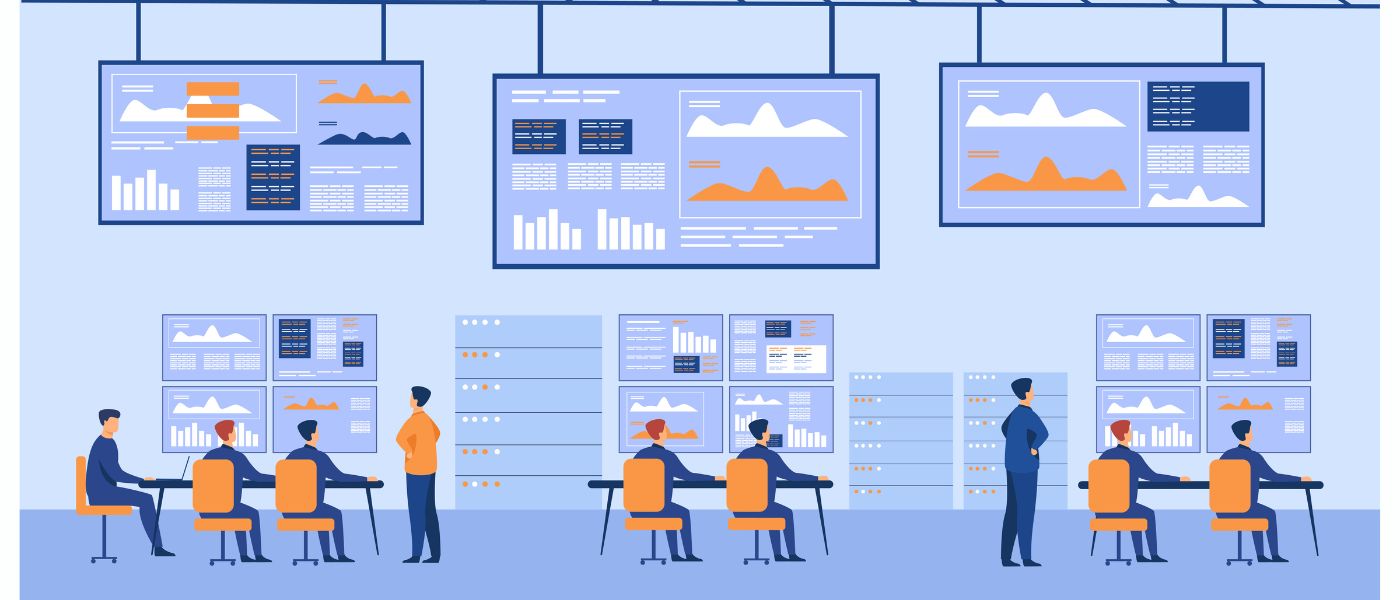
Office infrastructure upgrade services cover far more than cabling and broadband. A structured, end-to-end engagement addresses every layer of the physical and digital workplace stack.
The Full Scope of a Modern Office Infrastructure Engagement
Infrastructure Domain | What It Covers |
Structured Cabling | CAT6A/CAT7 data cabling, cable management, labelling, and TIA-568 compliance |
Network Infrastructure | LAN switching, firewall setup, VLAN segmentation, router configuration |
Wireless (Wi-Fi) | Enterprise access point design, coverage mapping, controller setup (Cisco, Aruba, Ubiquiti) |
Server Room / IT Room | Rack layout, PDU, UPS, cooling, patch panel management |
Cloud Connectivity | AWS or Microsoft Azure integration, SD-WAN, VPN configuration |
Access Control | Smart card, biometric, or PIN-based entry with audit trails |
CCTV and Physical Security | IP camera placement, NVR/DVR setup, remote monitoring integration |
VoIP and Unified Communications | SIP trunk setup, Microsoft Teams Rooms, desk phone deployment |
Meeting Room AV | Display screens, video conferencing units, HDMI/USB-C integration |
Workstation Deployment | Hardware imaging, software installation, domain join, user profile setup |
Cybersecurity | Endpoint protection, firewall policy, MFA, patch management |
IT Asset Management | Tagging, inventory tracking, lifecycle management |
Each of these domains has its own vendors, certifications, and installation requirements. Coordinating them through a single office infrastructure management services partner significantly reduces the risk of integration failures and schedule overruns.
Structured Cabling, LAN, and Wi-Fi Infrastructure Setup
Why Cabling Is the Foundation That Everything Else Depends On
Every wireless device in your office still relies on wired infrastructure somewhere in the chain. Access points, switches, IP cameras, VoIP handsets, and smart building systems all need a reliable physical network backbone. Structured cabling installed to TIA-568 standards with proper documentation gives you a predictable, fault-tolerant foundation that lasts 10 to 15 years without major rework.
CAT6A is now the standard minimum for new installations, supporting 10 Gigabit Ethernet at the horizontal cabling level. For high-density environments or data-intensive workloads, CAT7 or fibre backbone runs between floors and comms rooms are often the right call. Skimping on cabling is one of the most common and costly infrastructure decisions I have seen businesses regret within three years of a fit-out.
Designing Enterprise Wi-Fi for Modern Office Density
Consumer-grade routers and unmanaged switches do not belong in a corporate environment. Enterprise Wi-Fi solutions from Cisco, Aruba, or Ubiquiti are designed to handle concurrent device loads, segment traffic across VLANs, and provide centralised monitoring. A proper site survey before deployment is non-negotiable. Coverage maps based on floor plans, wall materials, and device density prevent the patchy performance that undermines the investment in a new setup.
IDC research has consistently highlighted that inadequate wireless infrastructure is among the top three contributors to workplace productivity loss in growing businesses. Getting this right at the design stage, rather than retrofitting after complaints, is always the better investment.
Server Room Setup and Cloud-Ready Infrastructure
Building an IT Room That Supports Growth and Redundancy
A properly designed server room or IT room is not just about housing hardware. It is about uptime assurance. That means adequate UPS coverage, structured cooling, clean power distribution via a PDU, and a documented rack layout that allows efficient cable management and future expansion. For growing offices, planning for 30 to 40 percent headroom in rack space and power capacity at fit-out saves significant disruption later.
Integrating Cloud Infrastructure from Day One
Most businesses operating today run a hybrid of on-premise and cloud workloads. Whether your team is on Microsoft Azure, AWS, or a combination of platforms, your office infrastructure needs to be designed with cloud-readiness in mind. That means sufficient internet redundancy, appropriate firewall segmentation between LAN and cloud-bound traffic, and VPN or SD-WAN configurations that give remote and hybrid workers secure, consistent access.
For GCC and offshore office setups in India, where international parent companies rely on consistent connectivity to home offices across Europe, the US, or the Middle East, this layer of infrastructure design is particularly critical. Getting it wrong creates persistent latency and security risks that are difficult to remediate without a full network redesign.
Access Control, CCTV, and Physical Security Setup
Physical Security Is Part of Your IT Risk Framework
A well-secured network perimeter means very little if physical access to server rooms, data closets, or executive areas is uncontrolled. Access control systems using smart card, biometric, or mobile-based authentication provide granular entry management with audit logs that can be integrated into your broader IT security monitoring.
CCTV installations should be designed around strategic coverage rather than simply filling corridors with cameras. IP-based camera systems with centralised NVR management allow remote access, motion alerts, and integration with access control events. For businesses working toward ISO 27001 or SOC 2 compliance, physical security controls are a documented audit requirement rather than an optional feature.
VoIP, Unified Communications, and Meeting Room AV Setup
Communication Infrastructure That Actually Works at Scale
The shift to hybrid work has made meeting room infrastructure one of the most visible pain points for organisations. A room with a cheap webcam balanced on a screen and a conference speaker that picks up echo is not a functional hybrid workspace. It signals to your team that the organisation has not invested in the right environment.
Microsoft Teams Rooms and Zoom Rooms certified hardware, paired with touch-panel room controls and proper acoustic treatment, change the dynamic entirely. VoIP deployment using SIP trunks alongside Teams-based calling gives businesses a unified communications platform that is cost-effective, scalable, and easy to manage. According to Deloitte’s Future of Work research, organisations that invest in properly designed communication infrastructure see measurably higher engagement scores among hybrid workers.
Workstation Deployment and IT Asset Management
Getting Users Productive from Day One
Workstation deployment at scale is deceptively complex. Imaging laptops and desktops individually is not viable beyond a handful of devices. Properly managed deployments use centralised imaging, Microsoft Endpoint Manager (Intune), or similar MDM platforms to provision hardware consistently, join devices to domain or cloud identity providers, and install approved software stacks before devices reach users.
IT asset management sits alongside this. Every device deployed should be tagged, inventoried, and tracked through its lifecycle. This is not administrative overhead. It is the difference between knowing exactly where your hardware assets are and spending time on ad-hoc troubleshooting because you cannot correlate a support ticket to a device record. For businesses scaling quickly, especially those setting up new branches or India GCC offices, structured asset management saves significant IT time and budget.
Cybersecurity Setup and Compliance Readiness
Security Is Infrastructure, Not an Afterthought
A new office setup or infrastructure upgrade is the right time to get your security baseline right. That means deploying endpoint protection across all managed devices, configuring firewall policies with least-privilege principles, enabling multi-factor authentication across all access points, and establishing a patch management cadence.
For organisations with compliance obligations under ISO 27001, SOC 2, or industry-specific frameworks, the infrastructure layer is where many audit findings originate. Network segmentation, access logging, encryption in transit, and secure remote access policies are all infrastructure-level controls that need to be designed in, not bolted on. Working with an office IT infrastructure services partner who understands compliance requirements from the outset reduces remediation costs significantly.
Office Infrastructure for Hybrid and Remote-First Teams
Designing for a Workforce That Is Not Always in the Room
Hybrid workplace infrastructure is not a standard office network with VPN access added later. It is a different design philosophy. Every element of the office setup needs to account for the reality that a portion of your workforce will always be remote. That means investing in high-quality video conferencing in every meeting room, ensuring Wi-Fi coverage extends to breakout spaces and informal collaboration areas, and deploying cloud-first identity and access management so remote workers authenticate consistently without VPN bottlenecks.
For organisations building India offices to support distributed teams across multiple time zones, this matters even more. A Gartner survey found that 82 percent of company leaders plan to allow employees to work remotely at least part of the time going forward. Building infrastructure that assumes everyone is physically present is designing for a workforce model that no longer exists.
Having supported infrastructure setup for offshore and GCC operations across India, iValuePlus has consistently seen that organisations investing in hybrid-ready infrastructure from the start avoid significant retrofit costs within 18 to 24 months of opening a new location. Our experience as an Infrastructure Setup Partner for Offshore Teams reflects how consistently this pattern repeats across GCC clients entering the India market.
Office Infrastructure Setup for New Branches and Relocations
Relocation Is the Highest-Risk Infrastructure Moment for Most Businesses
An office relocation or new branch setup compresses all infrastructure decisions into a fixed timeline with a hard go-live date. That creates significant project management complexity when infrastructure domains are coordinated across multiple vendors. Cabling contractors, network engineers, AV installers, access control providers, and IT teams all need to work in a specific sequence, and delays in any one workstream cascade into the others.
I have worked with businesses that attempted to manage this coordination internally and consistently underestimated the integration complexity. The handover between structured cabling completion and network active equipment installation alone requires clear documentation and testing protocols that most internal IT teams do not have bandwidth to manage alongside their existing responsibilities.
A complete office IT infrastructure services provider owns the project timeline across all workstreams, manages vendor dependencies, and delivers a tested, documented environment to the business rather than a collection of individually installed components that may or may not work together.

How to Choose the Right Office Infrastructure Service Partner
What to Look for Beyond the Technical Capability List
Most office infrastructure service providers will give you a specification sheet that looks similar. The differentiator is not what they say they can do. It is how they manage delivery, how they handle dependencies and scope changes, and what their post-deployment support model looks like.
Provider Selection Criteria Framework
Evaluation Criteria | What to Look For |
Technical Scope | Can they cover all infrastructure domains under a single engagement, or are they subcontracting large portions? |
Project Management | Do they assign a dedicated project manager? How do they manage multi-vendor coordination? |
Design Methodology | Do they conduct a site survey and produce documented network design before installation begins? |
Compliance Awareness | Do they understand ISO 27001, SOC 2, or other frameworks relevant to your industry? |
Post-Deployment Support | Is there a managed services or helpdesk option? What are the SLA terms? |
References and Case Studies | Can they provide verifiable examples of comparable office setups or upgrade engagements? |
India Market Experience | For India-based or GCC setups, do they have local delivery capability and vendor relationships? |
Scalability | Can they support phased expansion if your headcount grows significantly after year one? |
Red Flags When Evaluating Office Infrastructure Partners
- No site survey or assessment before providing a fixed quote
- Proposing a single-brand solution without addressing your specific requirements
- No dedicated project manager or single point of accountability
- Vague post-installation support terms or no formal SLA
- Reluctance to provide documented network diagrams and as-built documentation
- No experience with hybrid workplace infrastructure or cloud connectivity requirements
End-to-End Partner vs Piecemeal Vendor: A Practical Comparison
Why Coordination Is the Hidden Cost of Fragmented Infrastructure
The instinct to save money by engaging separate vendors for cabling, networking, AV, and security is understandable. In practice, it typically costs more and delivers a worse outcome.
Structured End-to-End Partner | Piecemeal / Fragmented Vendor Approach |
Single point of accountability for all infrastructure domains | Multiple vendors, each accountable only for their own scope |
Integrated project plan with managed dependencies between workstreams | Coordination responsibility falls on internal IT or operations team |
Consistent documentation across cabling, network, AV, and security | Documentation quality varies by vendor, often incomplete |
Tested integration between infrastructure layers before go-live | Integration issues discovered after go-live, during normal operations |
Post-deployment support under a single SLA | Support queries routed across multiple vendors with overlap disputes |
Scalable design that accounts for future headcount and technology changes | Individual vendors optimise for their scope, not overall system design |
Compliance-aware delivery across all domains | Compliance gaps emerge at intersections between vendor scopes |
The coordination overhead of managing four to six separate vendors through an office upgrade is rarely factored into the initial budget comparison. When it is accounted for properly, the cost differential between a piecemeal approach and a structured partner engagement is usually much smaller than anticipated. The risk differential is considerably larger.
Office Infrastructure Upgrade Checklist
Use this to assess your current environment and identify upgrade priorities:
- Structured cabling: CAT6A minimum, TIA-568 compliant, fully labelled and documented
- Network switching: managed switches with VLAN capability and centralised management
- Wi-Fi: enterprise access points (Cisco / Aruba / Ubiquiti), site-surveyed coverage, controller-managed
- Firewall: next-generation firewall with IDS/IPS, application control, and log management
- Server room: structured racks, UPS coverage, cooling, clean power, documented patch panel
- Cloud connectivity: redundant internet links, SD-WAN or VPN for remote access
- Access control: smart card or biometric entry at server room, reception, and sensitive areas
- CCTV: IP cameras, NVR management, adequate coverage of entry points and server areas
- VoIP / UC: SIP trunks or Teams-native calling, desk phone and softphone deployment
- Meeting rooms: Teams Rooms or Zoom Rooms certified hardware, touch-panel controls
- Workstation deployment: centralised imaging, MDM/Intune management, asset tagging
- Endpoint security: EDR/antivirus, patch management, MFA enabled across all accounts
- Compliance readiness: network documentation, access logs, encryption policies in place
- Hybrid infrastructure: secure remote access, cloud-first identity, AV in all meeting rooms
- Post-deployment documentation: as-built diagrams, IP address register, maintenance schedule
Cost and Phased Upgrade Planning Considerations
How to Think About Infrastructure Investment Without Overcommitting Upfront
Infrastructure upgrade costs vary significantly based on office size, scope, existing condition, and integration complexity. For a mid-size office of 50 to 150 seats in India, a comprehensive structured cabling and network upgrade typically ranges from INR 15 to 40 lakhs depending on cabling runs, active equipment specification, and the inclusion of security and AV systems.
A phased approach is often the most commercially practical route for growing businesses. Phase one typically covers the foundation: structured cabling, core switching, firewall replacement, and enterprise Wi-Fi. Phase two adds unified communications, meeting room AV, and access control. Phase three addresses cybersecurity hardening, compliance readiness, and IT asset management formalisation. Each phase delivers measurable operational improvement while spreading capital expenditure across 12 to 18 months.
Working with a managed office infrastructure services provider who supports phased delivery also means you are not restarting the planning and vendor relationship process for each phase. The design is done once, comprehensively, with the full roadmap in mind from the beginning.
Where Businesses Consistently Underestimate Costs
- Post-installation documentation and as-built drawings
- User training on new unified communications platforms
- Ongoing managed IT support and SLA coverage after go-live
- Cabling remediation when existing runs do not meet standards
- Power and cooling upgrades in older server rooms
Scaling Your Office Infrastructure as Your Business Grows
Designing for the Office You Will Have, Not Just the Office You Have Now
The most expensive infrastructure decision a growing business can make is designing for today’s headcount. Infrastructure that is correctly scaled at deployment typically handles 50 to 100 percent headcount growth without major rework. That means specifying adequate switch port density, planning Wi-Fi access point locations for expanded floor areas, and ensuring server room rack and power headroom supports additional hardware.
For businesses in the NASSCOM-tracked India IT services sector, where GCC and offshore office headcounts can double within 18 months of launch, forward-looking design is essential. The cost of adding additional switch ports and access points during initial installation is a fraction of the cost of a network redesign 18 months later.
An experienced office infrastructure services provider will push you on these questions during the design phase. If they are not asking about your three-year headcount projection and expansion plans, that is a signal they are designing to a brief, not to a business outcome.
FAQ
Q1. What do office infrastructure services typically include?
Office infrastructure services cover the full technical setup of a modern workplace, including structured cabling, network switching and Wi-Fi, server room setup, access control and CCTV, VoIP and unified communications, meeting room AV, workstation deployment, cybersecurity configuration, and ongoing IT management. A comprehensive provider delivers all of these as a coordinated engagement under a single project plan rather than as separately managed contracts.
Q2. How do I know if my office infrastructure needs an upgrade?
Your office infrastructure likely needs an upgrade if you are experiencing persistent Wi-Fi instability, frequent VoIP or video conferencing issues, no centralised network monitoring, server hardware past end-of-life, inadequate data points for current headcount, or compliance gaps in user access and endpoint security. If your IT team spends more than 30 percent of their time on reactive support rather than planned improvement, that is a reliable signal the infrastructure is no longer fit for purpose.
Q3. How long does an end-to-end office infrastructure upgrade take?
A structured cabling and network upgrade for a 50-seat office typically takes four to six weeks from site survey to completion. A full end-to-end engagement covering cabling, networking, security, AV, workstation deployment, and cybersecurity across a 100 to 200 seat office generally runs eight to sixteen weeks. New office fit-outs for GCC or branch locations can range from six to twenty weeks depending on building readiness and active equipment lead times.
Q4. What is the cost of upgrading office IT infrastructure?
For a mid-size Indian office of 50 to 150 seats, a comprehensive infrastructure upgrade typically ranges from INR 15 to 60 lakhs depending on scope and existing conditions. A phased approach, starting with cabling, switching, and Wi-Fi before adding unified communications and compliance-layer security, is often the most commercially practical route. An accurate cost estimate requires a site survey and scope definition before any reputable provider can give you a defensible number.
Q5. How do I choose the right office infrastructure service provider?
Evaluate providers on six criteria: technical scope across all infrastructure domains, project management approach and single-point accountability, design methodology including site surveys, compliance awareness relevant to your industry, post-deployment support SLA, and verifiable references from comparable engagements. Red flags include providers who quote without surveying, cannot provide as-built documentation, or have no clear post-go-live support model.
Q6. What office infrastructure is needed to support hybrid teams?
Hybrid workplace infrastructure requires every element of the office to be designed with remote participants as equal stakeholders. That means enterprise-grade meeting room AV with Teams Rooms or Zoom Rooms certified hardware, reliable Wi-Fi across all collaboration areas, cloud-first identity and access management, and secure remote access configurations that do not degrade performance. Physical infrastructure also needs to support flexible seating and hot-desking with sufficient data points and wireless coverage throughout.
Conclusion
Upgrading outdated office infrastructure is not a single decision. It is a sequenced set of decisions that need to be made with a clear view of your current environment, your near-term growth trajectory, and the operational outcomes you are trying to achieve. The businesses that get this right treat infrastructure as a strategic investment rather than a maintenance cost, engage partners who can design and deliver across all domains under a single accountable engagement, and plan for the office they will have in three years, not just the one they are in today.
For growing businesses in India, for GCC operators setting up offshore delivery centres, and for established companies whose infrastructure has not kept pace with the demands of hybrid work, the window for proactive investment is now. Reactive upgrades after a security incident or network failure cost significantly more and cause considerably more disruption than a structured, planned modernisation.
Ready to Upgrade Your Office Infrastructure? iValuePlus provides end-to-end Infrastructure Setup Services for growing businesses across India and international GCC clients. From structured cabling and enterprise networking to unified communications, cybersecurity, and post-deployment IT support, our teams manage every layer of the modern office stack under a single, accountable engagement.
Recent Post
How to Set Up an Offshore QA Center of Excellence in India: A Practical Guide for Global Teams
Learn how to set up an offshore QA center of...
Managed IT Services for Small Businesses: Complete Guide (2026)
Discover what managed IT services for small businesses actually include,...
If your office tech is holding your team back, you’re losing more than productivity—you’re risking security, morale, and future scalability. Expert office infrastructure services offer not just an upgrade in tools, but a transformation in how you operate.
Ready to Future-Proof Your Office?
Choose iValuePlus for dependable, scalable, and secure office infrastructure services tailored to your growth.
Contact us now and explore our office infrastructure services.

iValuePlus Services
iValuePlus is a one-stop solution to address all your needs to access, build and grow your business in the Indian market which is cost-effective & has a huge talent pool. Established in 2019 as a ‘Business Solution provider', our team has delivered successful growth projects in the international market.
Our services include setting up ODC (offshore development center), Staff Augmentation, Talent Acquisition, Digital Marketing, in the IT/ITES domain.