
Discover the best city to set up office in India...

The Ultimate Checklist for Office IT Infrastructure Setup Success
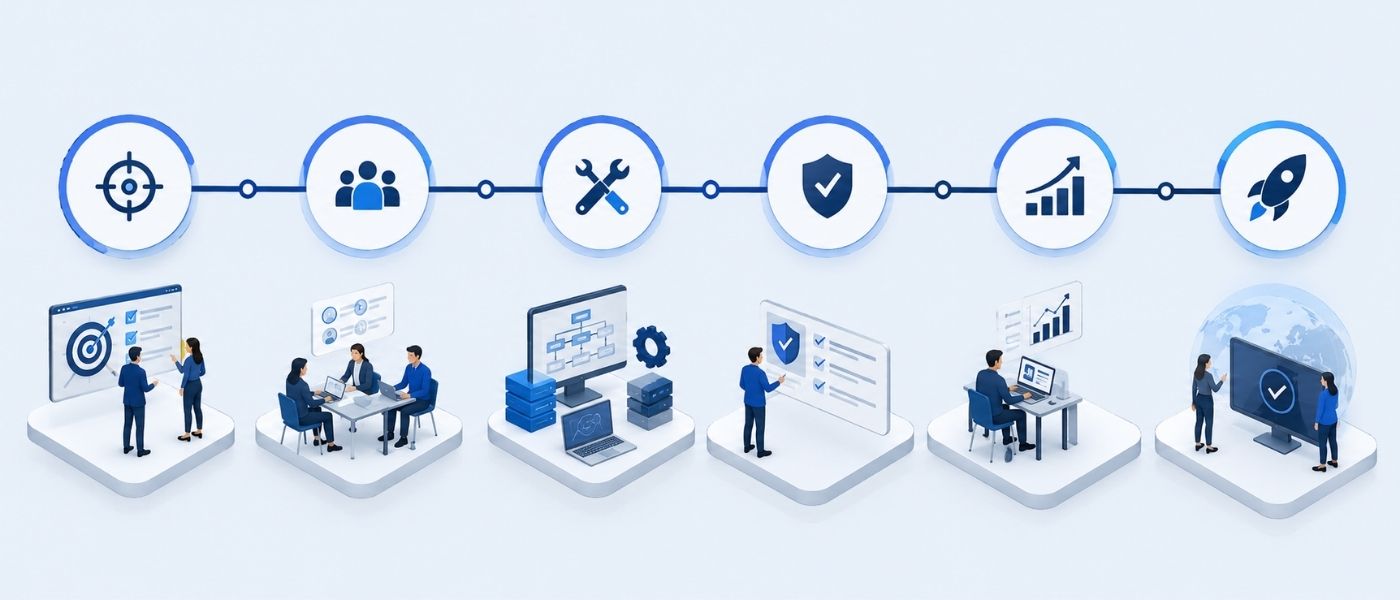
In today’s digital-first business world, your office’s IT infrastructure is more than just a collection of devices and cables — it’s the foundation of your organization’s productivity, security, and scalability. A well-planned office infrastructure setup checklist ensures that your workspace operates efficiently, supports modern collaboration, and adapts to future business growth.
Whether you’re setting up a new office or upgrading your existing infrastructure, this updated 2025 guide provides a complete roadmap — from planning and hardware selection to security, maintenance, and cloud integration.
Key Steps to Build a Strong Office IT Infrastructure
1. Assess Your Business Needs
Before purchasing equipment or hiring vendors, start by identifying what your business truly needs. This assessment helps you design an IT infrastructure setup that aligns with your goals and prevents costly rework.
Key steps:
Team size and workflow: Define how many employees and departments will use the system.
IT requirements: Identify the core functionalities — such as data storage, communication, cybersecurity, or workflow automation.
Scalability: Plan for growth. A scalable office setup ensures smooth expansion without major disruptions.
Example: A growing digital agency planning for hybrid work should consider secure remote access, cloud-based collaboration, and scalable bandwidth from day one.
2. Choose the Right Hardware and Equipment
Hardware selection is the backbone of your IT infrastructure setup for office. Poor equipment choices can lead to system crashes, inefficiency, and higher maintenance costs.
Hardware essentials:
Servers and workstations: Choose systems that match your computing and storage requirements. Consider SSD storage for faster performance.
Networking devices: Invest in business-grade routers, switches, and hubs that allow seamless office network setup and scalability.
Backup and storage: Combine on-premises servers with cloud storage for redundancy and disaster recovery.
Pro tip: For small businesses, consider modular servers and hybrid cloud setups to balance cost with flexibility.
3. Set Up a Reliable and Secure Network
Your network infrastructure is the digital nervous system of your organization. It connects every system, device, and user.
Best practices for network setup:
Use structured cabling (Cat6 or higher) to ensure stable and high-speed connectivity.
Label and organize cables to simplify troubleshooting.
Set up VLANs (Virtual Local Area Networks) for enhanced network segmentation and security.
Deploy business-grade firewalls and encrypted connections.
A secure and well-planned office network setup checklist helps prevent downtime, protects sensitive data, and enables smooth operations across departments.
4. Optimize Internet and Wi-Fi Connectivity
Modern workplaces rely heavily on cloud software, VoIP, and remote collaboration making internet speed and coverage mission-critical.
Optimization tips:
Choose a high-speed business internet plan with consistent upload and download speeds.
Install Wi-Fi 6 routers and range extenders for better coverage.
Create guest networks to separate visitors from your core IT systems.
Uninterrupted connectivity enhances team efficiency and supports hybrid work environments.
5. Implement Smart IT Management and Support Systems
Ongoing IT support ensures business continuity and reduces downtime. Establish structured IT management systems from the start.
Essential components:
Monitoring tools: Track device health, bandwidth, and security status in real time.
Helpdesk systems: Allow employees to report technical issues quickly.
Documentation: Maintain updated records of configurations, licenses, and IP addresses.
Example: Companies that introduced automated monitoring tools reported up to 40% fewer network outages — showcasing the power of proactive IT management.

6. Strengthen Cybersecurity Measures
In 2025, cybersecurity is no longer optional — it’s fundamental to business trust. A strong office infrastructure setup checklist must include robust security practices.
Key security protocols:
Firewalls and antivirus protection: Deploy enterprise-grade firewalls and regularly updated antivirus solutions.
Data encryption: Encrypt both data-at-rest and data-in-transit.
Access control: Implement multi-factor authentication (MFA) and assign role-based access levels.
Regular audits: Conduct periodic vulnerability assessments and penetration tests.
A secure IT setup guide for small businesses can prevent costly breaches and ensure compliance with data privacy laws.
7. Plan for Future Scalability and Cloud Integration
Technology evolves fast. Future-ready office infrastructure must accommodate new tools, integrations, and remote capabilities.
Scalability checklist:
Opt for modular hardware and software licensing that allows quick expansion.
Adopt cloud integration for business to reduce dependency on physical servers.
Use scalable software solutions that support remote teams and hybrid work.
By integrating cloud and automation early, your IT setup remains adaptable and cost-efficient over time.
8. Conduct Testing and Quality Assurance
Before going live, thoroughly test all systems to ensure stability and security.
Checklist for testing:
Network speed and connectivity in all work areas.
Software compatibility and functionality across devices.
Backup and recovery validation to confirm data integrity.
Routine testing ensures your office technology setup performs reliably from day one.
9. Schedule Regular Maintenance and Upgrades
A successful infrastructure setup checklist is incomplete without long-term maintenance planning.
Best practices:
Conduct periodic hardware inspections to avoid failures.
Keep all software, drivers, and operating systems updated.
Review network performance quarterly to identify improvement areas.
Perform annual IT audits to ensure your systems meet business goals.
Proactive maintenance helps sustain performance, reduce costs, and extend the life of your IT assets.
Conclusion
A successful office infrastructure setup blends technology, planning, and foresight. By following this office infrastructure setup checklist, you can build a modern, secure, and scalable IT ecosystem that supports growth and innovation.
From structured cabling for offices to cybersecurity setup, every decision contributes to long-term reliability and efficiency. As businesses continue to digitize operations, investing in the right IT infrastructure isn’t just an operational necessity — it’s a competitive advantage.
FAQs
1. What are the main components of an office IT infrastructure?
Servers, computers, networking devices, storage systems, and security tools form the core of a strong IT infrastructure.
2. Why is IT infrastructure important for a business?
It ensures smooth communication, data security, and efficient workflow across all departments.
3. How can I optimize my office IT setup?
Use cloud services, strong cybersecurity tools, and regular maintenance to boost performance and reliability.
4. What mistakes should I avoid in office IT infrastructure setup?
Avoid poor cabling, weak security, lack of backups, and ignoring scalability.
5. How much does it cost to set up IT infrastructure for an office?
Costs vary by business size but typically range from a few lakhs for small offices to higher for large setups.
Recent Post
How to Set Up an Offshore QA Center of Excellence in India: A Practical Guide for Global Teams
Learn how to set up an offshore QA center of...
Managed IT Services for Small Businesses: Complete Guide (2026)
Discover what managed IT services for small businesses actually include,...

iValuePlus Services
iValuePlus is a one-stop solution to address all your needs to access, build and grow your business in the Indian market which is cost-effective & has a huge talent pool. Established in 2019 as a ‘Business Solution provider', our team has delivered successful growth projects in the international market.
Our services include setting up ODC (offshore development center), Staff Augmentation, Talent Acquisition, Digital Marketing, in the IT/ITES domain.